Keychain TinkerCAD & KiCAD Tutorial
Using TinkerCAD and KiCad
Step 1: Set Up TinkerCAD
- Visit TinkerCAD.com
- Log in or create an account
- Navigate to “Circuits”
- Click “Create New Circuit”
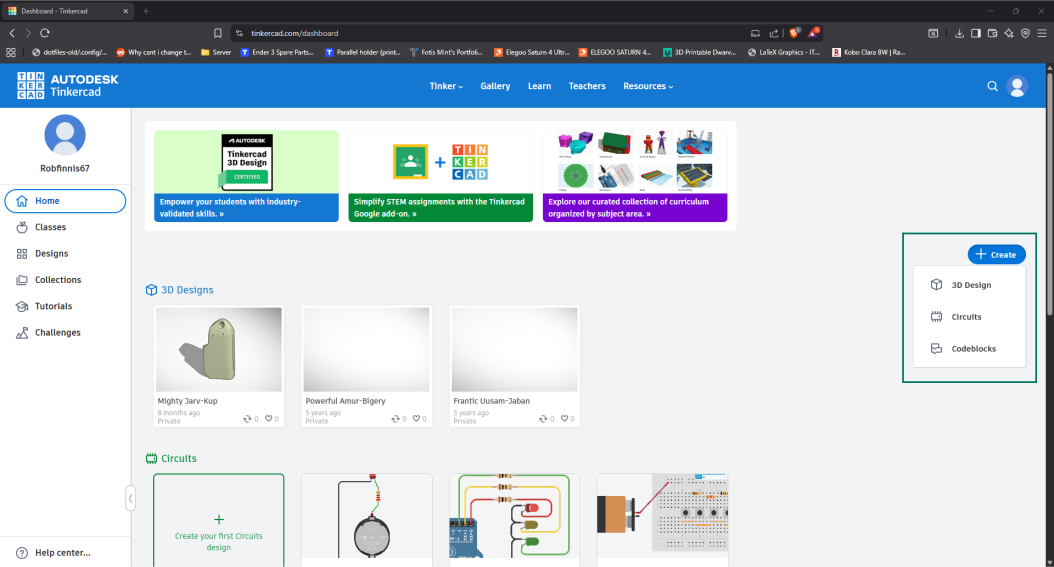
Figure 1: Creating a new account and circuit project in TinkerCAD.
Step 2: Create Your Circuit
- Use the component menu to add:
- LEDs
- Resistors
- Power source (e.g., battery)
- Connect them using wires
- Click “Start Simulation” to test
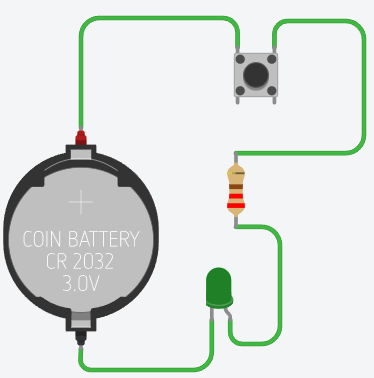
Figure 2: Creating a new LED circuit in TinkerCAD.
Step 3: Export Your Design
- Click “Export”
- Select .BRD (Eagle Board File)
- Save it to your device
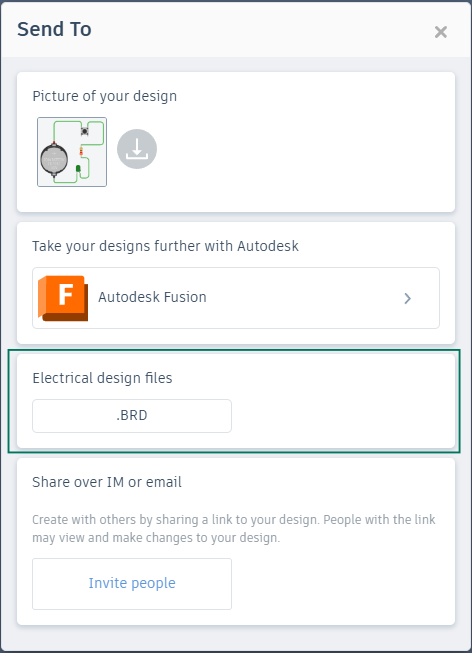
Figure 3: Exporting your circuit as a .BRD file for KiCAD.
Step 4: Import into KiCad
- Open KiCad (ask for help if not installed)
- Go to File > Import Non-KiCad Project
- Select your .BRD file
- Choose Auto-Match Layers
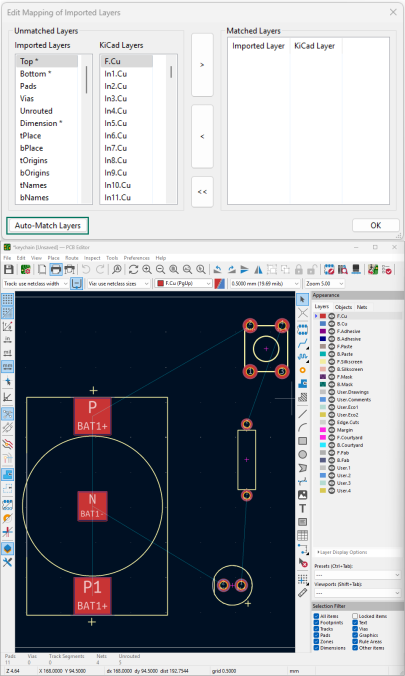
Figure 4: Setting up your project in KiCAD.
Step 5: Clean and Arrange
- Use the PCB editor to:
- Reposition components
- Start routing tracks
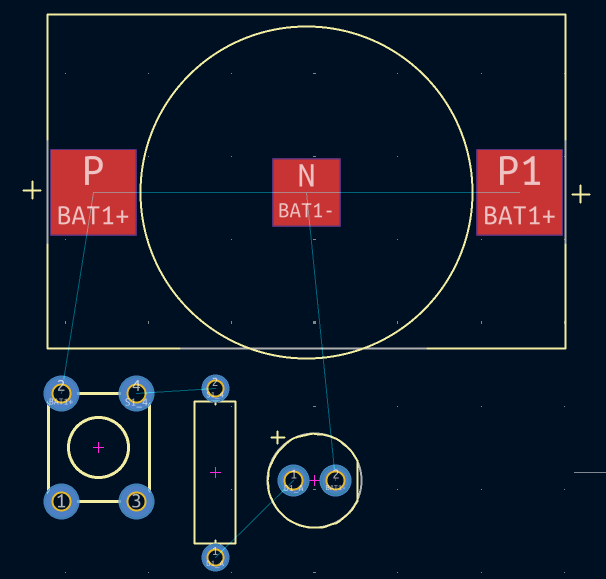
Figure 5: Optimising the circuit layout in KiCAD.
Step 6: Route Your PCB
- Use routing tools (right panel)
- Press:
- V to invert track layer
- F to flip components
- Ensure tracks don’t overlap
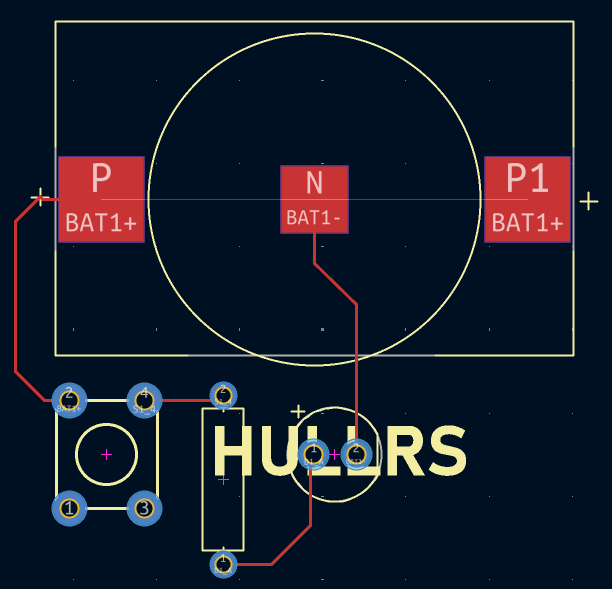
Figure 6: Routing trace lines for the circuit.
Step 6.1: Preview in 3D
- Use KiCad’s 3D viewer to inspect your board
- Look for spacing and design issues
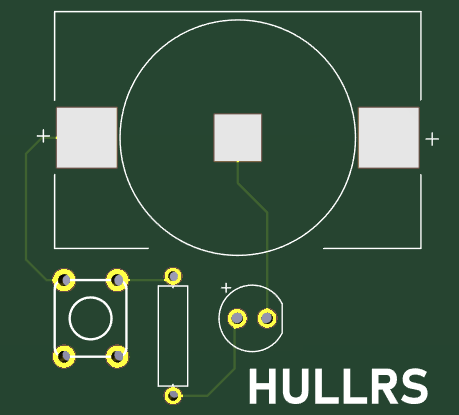
Figure 7: A 3D view of the circuit for final checks.
Step 7: Prepare for Printing
- Go to File > Plot > Generate Drill Files
- Save all output files
- Check for .gbrjob file
- Zip the folder
- Email the zipped files to us
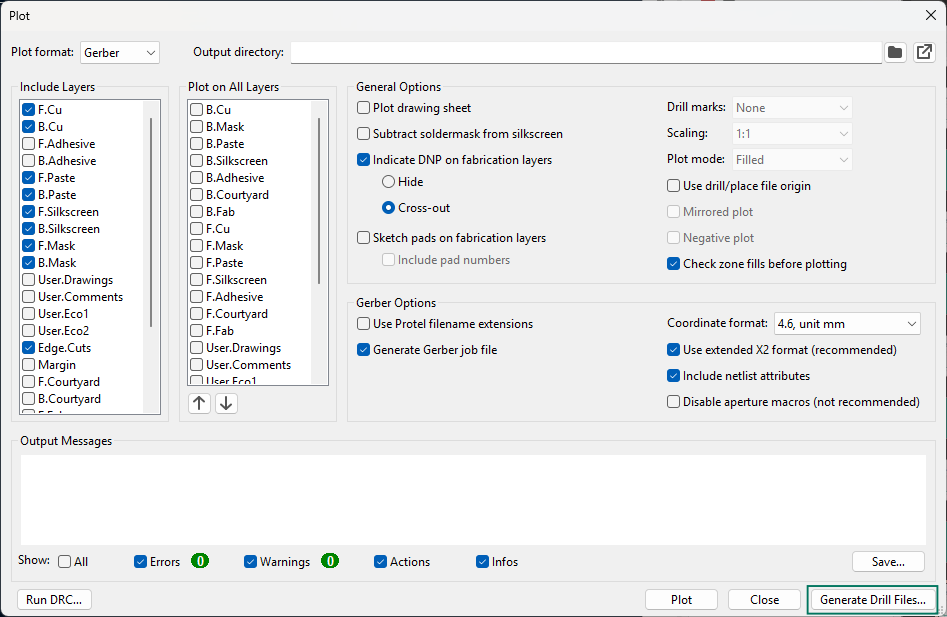
Figure 8: Saving drill files for final submission.
Bonus: Make it Yours!
- Add:
- Custom shapes
- Initials
- Fun artwork or labels
🎉 Congrats!
You’ve created your own LED keychain PCB from scratch!
Keep experimenting and making cool electronics!