Making the Dalek Mind-Controlled
We’re currently working on our most ambitious upgrade yet: making the Dalek mind-controlled! Using the Emotive Insight headset, we’re exploring how to read brainwave signals to control the Dalek’s movements.
Here’s how it works:
- Brainwave signals from the Insight headset are processed using the Emotiv Cloud and sent to our open-source robotics controller.
- The controller acts as the central hub, allowing for both manual and brainwave-based control systems.
Headset setup
Initial Setup
-
Unboxing and Charging
Unpack your Emotiv Insight headset and connect it to a USB charger. Allow it to fully charge before first use.

Caption: Emotiv Insight headset and accessories. - Wetting the Electrodes
The headset uses saline sensors for optimal signal quality.- Remove each sensor from the headset.
- Moisten the felt pads with the provided saline solution.
- Reinsert the sensors into the headset.
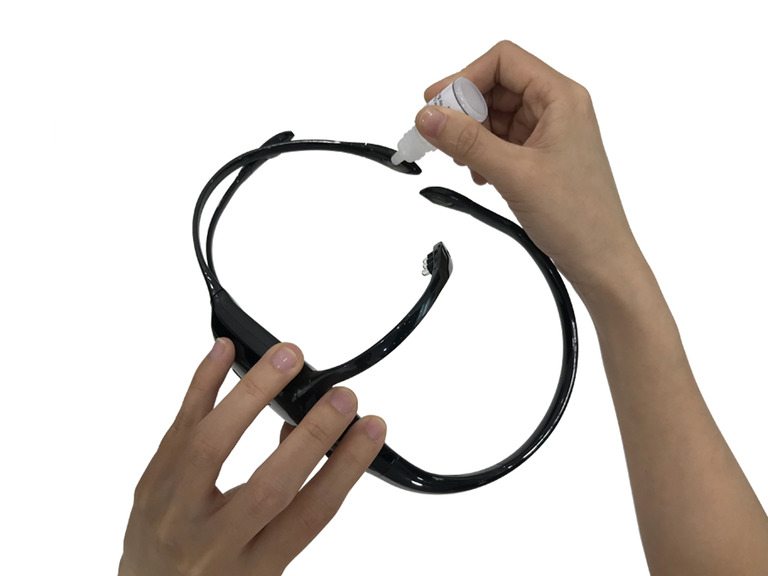
Caption: Applying saline solution to the felt pads.
- Fitting the Headset
- Place the headset on your head, ensuring the sensors make good contact with your scalp.
- Adjust the arms for a snug fit.
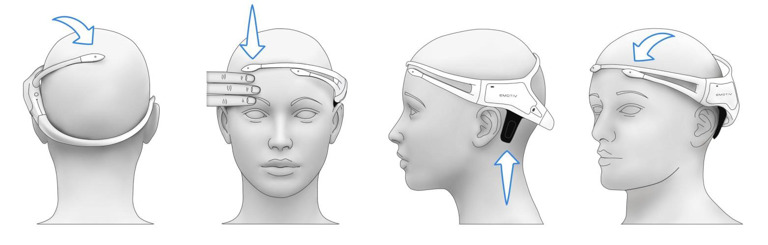
Caption: Proper placement of the headset on the user.
- Connecting to Software
- Power on the headset.
- Open the Emotiv software on your computer or mobile device.
- Pair the headset via Bluetooth.
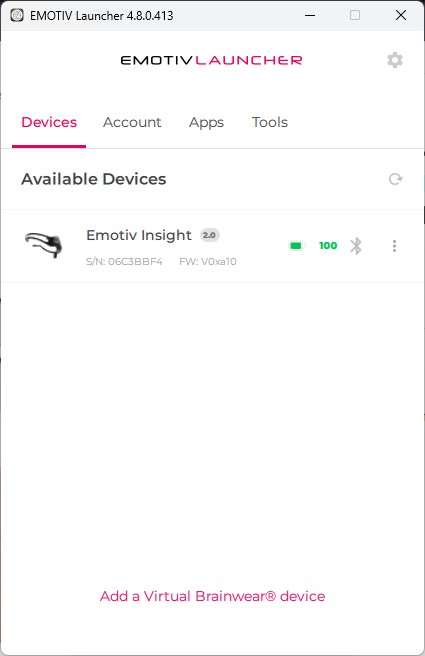
Caption: Pairing the headset with the Emotiv app.
- Signal Quality Check
- Use the Emotiv app to check sensor contact quality.
- For best results, the signal quailty should be 100% across the headset and EEG quality shoulkd be over 90%.
- Adjust the headset or re-wet sensors if needed for optimal readings.
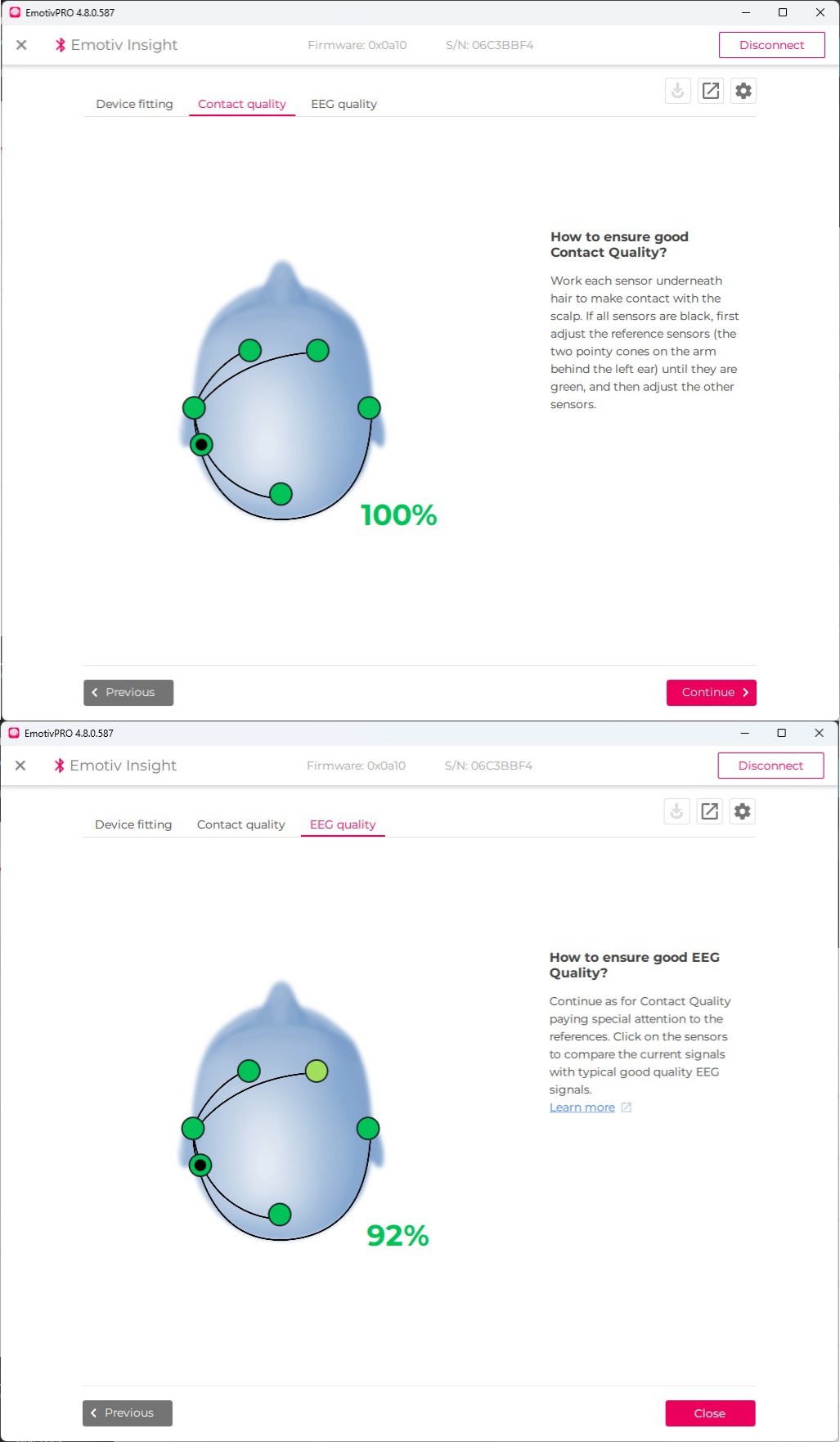
Caption: Checking sensor contact quality in the app.
- Preparing for Training
- Select a quiet environment free from distractions.
- Follow the app instructions to begin your first training session, calibrating the headset to your brainwave patterns.
Neuroscience, EEG, and Training Fundamentals
Understanding Neuroscience and EEG
Neuroscience explores how the brain and nervous system function. One key technique for studying brain activity is Electroencephalography (EEG), which measures electrical signals produced by neurons. EEG sensors placed on the scalp detect these signals, allowing us to interpret patterns related to thoughts, movements, and emotions.
What is EEG?
- Non-invasive: Sensors sit on the scalp, making EEG safe and comfortable.
- Real-time: EEG provides immediate feedback on brain activity.
- Applications: Used in research, clinical diagnostics, and brain-computer interfaces (BCIs).
Best Practices for EEG Training Data
High-quality training data is essential for reliable BCI performance. Follow these guidelines:
- Consistent Environment: Train in a quiet, distraction-free space.
- Sensor Preparation: Ensure sensors are properly moistened and fitted for optimal signal quality.
- Regular Calibration: Calibrate the headset before each session.
- Minimize Movement: Keep still during data collection to reduce artifacts.
- Session Length: Short, frequent sessions are better than long, infrequent ones.
- Label Data: Clearly mark training data for different mental tasks.
Emotiv Insight Headset: Motor Imagery Training
Introduction to Motor Imagery (MI)
Motor imagery involves imagining a physical movement (e.g., moving a cube) without actually performing it. This technique is widely used in BCI training to teach the system to recognize specific brainwave patterns.
Step-by-Step: MI Training Session
-
Prepare the Headset
Ensure the Emotiv Insight is charged, sensors are moistened, and the headset is fitted securely. -
Open Emotiv Software
Launch the Emotiv app and connect the headset via Bluetooth. -
Start a New Training Profile
Create a profile for motor imagery tasks (e.g., “Cube Manipulation”). -
Select Motor Imagery Task
Choose a simple task, such as imagining moving a cube forward.
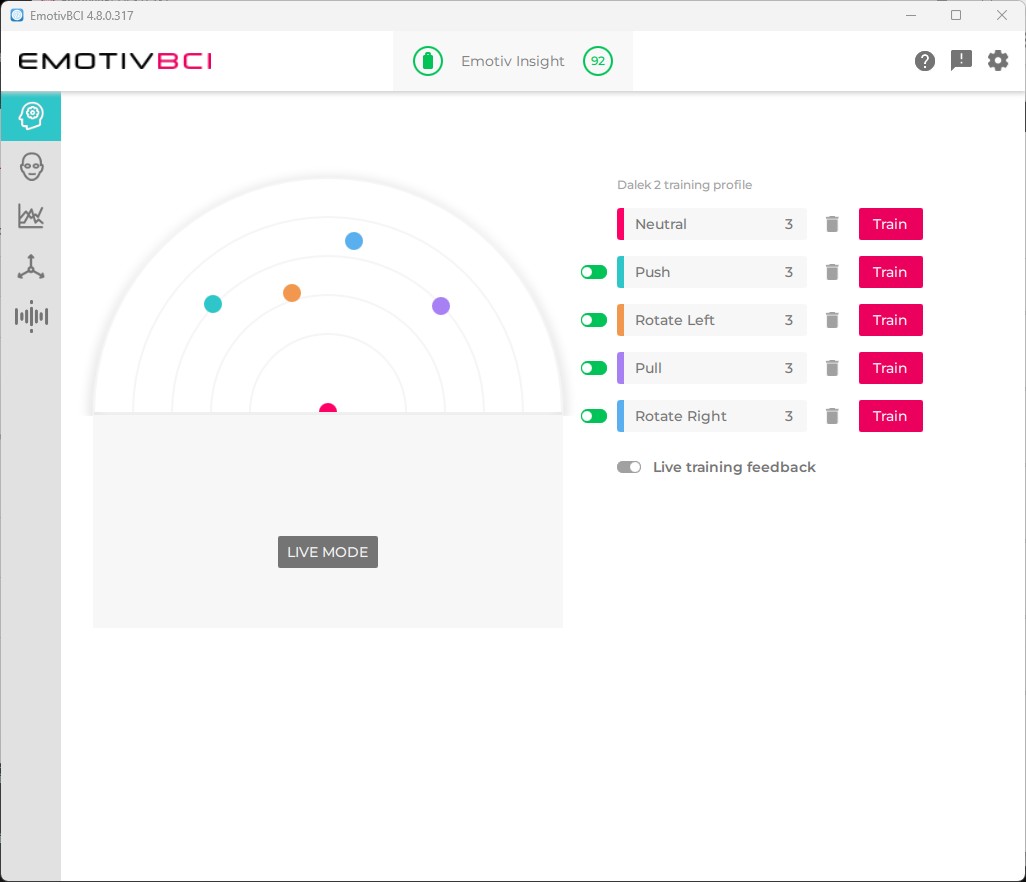
Caption: Selecting the cube manipulation task in the Emotiv app.
- Begin Training
Follow on-screen instructions to focus on the movement. Visualize the cube moving, but do not move physically.
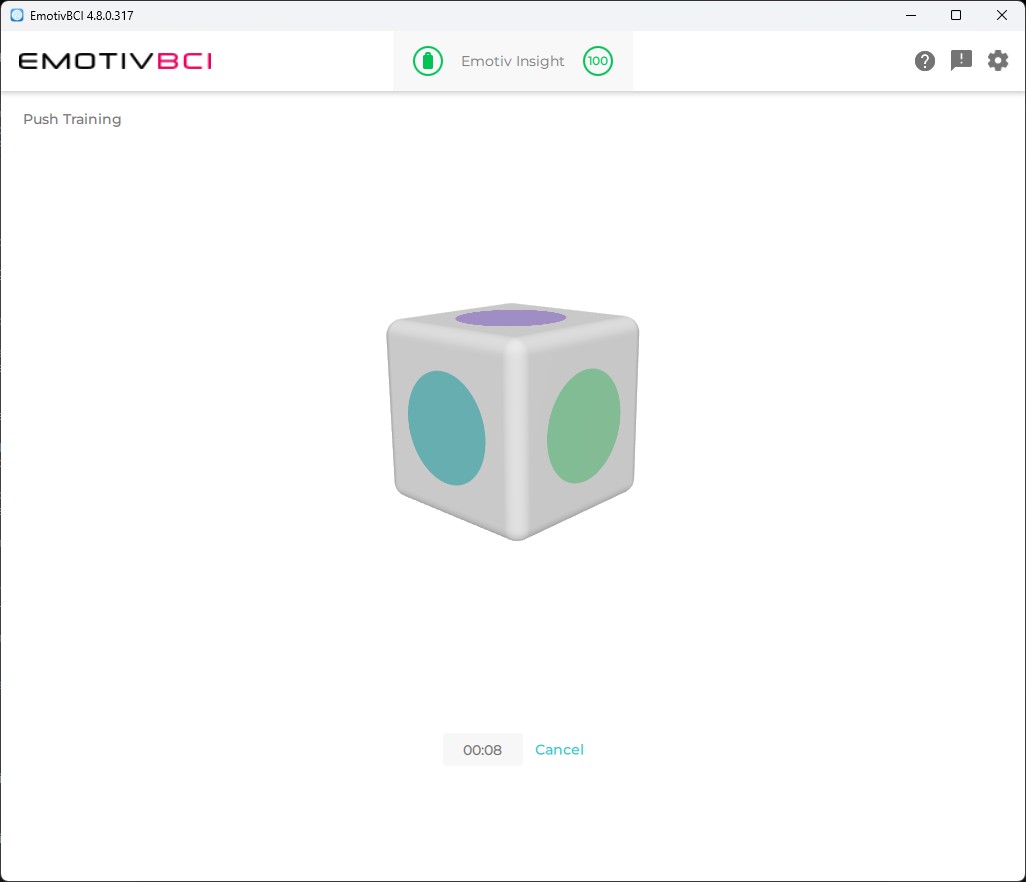
Caption: User concentrating on motor imagery during training.
- Repeat and Refine
Perform multiple repetitions, maintaining focus and minimizing distractions.
Tips for Best MI Results
- Relax and Focus: Clear your mind before each trial.
- Consistent Visualization: Always imagine the same movement in detail.
- Avoid Physical Movement: Even small muscle twitches can affect EEG signals.
- Take Breaks: Rest between sessions to avoid fatigue.
- Monitor Signal Quality: Use the app to check sensor contact and adjust as needed.
- Practice Regularly: Frequent, short sessions improve accuracy over time.
By following these fundamentals and best practices, you’ll maximize the effectiveness of your BCI training and achieve reliable motor imagery control with the Emotiv Insight headset.
Challenges in Motor Imagery EEG Training
Training a brain-computer interface (BCI) using motor imagery (MI) EEG data presents several challenges:
Reliability and Repeatability
- Weak Signals: MI EEG signals are often subtle and can be easily masked by noise or artifacts, making it difficult to generate strong, distinct commands.
- User Variability: Brainwave patterns differ between individuals and even across sessions for the same user, affecting consistency.
- Mental Fatigue: Concentration can wane over time, leading to less reliable command generation.
Dataset Poisoning and Quality Issues
- Unintentional Movements: Small muscle twitches or eye blinks can contaminate EEG data, introducing artifacts that mislead the training process.
- Inconsistent Labeling: Incorrectly labeled data (e.g., marking rest as movement) can “poison” the dataset, reducing the accuracy of the BCI.
- Environmental Distractions: Background noise or interruptions can alter brainwave patterns, resulting in unreliable training samples.
Best Practices to Mitigate Issues
- Strict Protocols: Follow consistent training routines and environments to minimize variability.
- Careful Data Review: Regularly inspect and clean datasets to remove contaminated or mislabeled samples.
- Frequent Calibration: Recalibrate the headset and retrain the model to adapt to changing conditions and user states.
Addressing these challenges is crucial for building a robust, responsive mind-controlled Dalek system.
This cutting-edge addition will showcase the intersection of neuroscience and robotics; a futuristic upgrade for our Dalek project!
Stay tuned for more updates as we finalize this feature.